Nono stories
Discover stories and small moments with the characters.
SomniNono App brings care, conversations, photos, play and shared memories together. Little things to do with a character you love.
Feed your Nono, freshen it up and spend a little time playing together. Small, hands-on moments that make raising a virtual pet feel personal.
Home → Care
Check item costs and requirements before use.
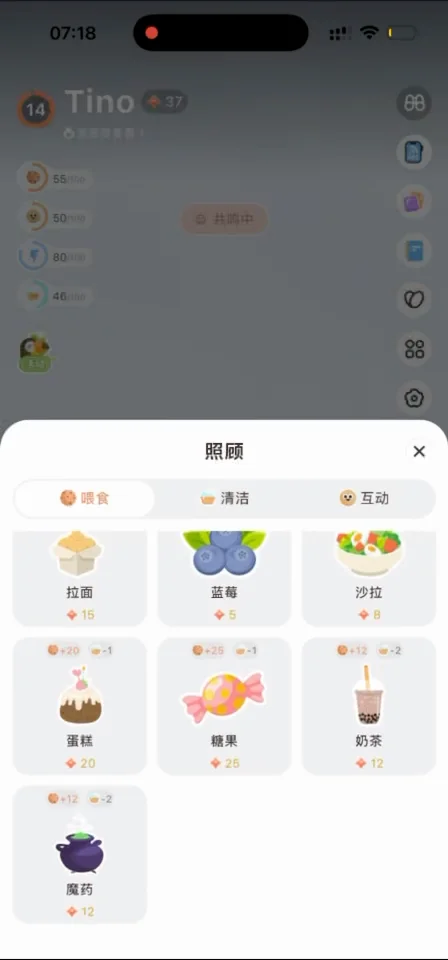
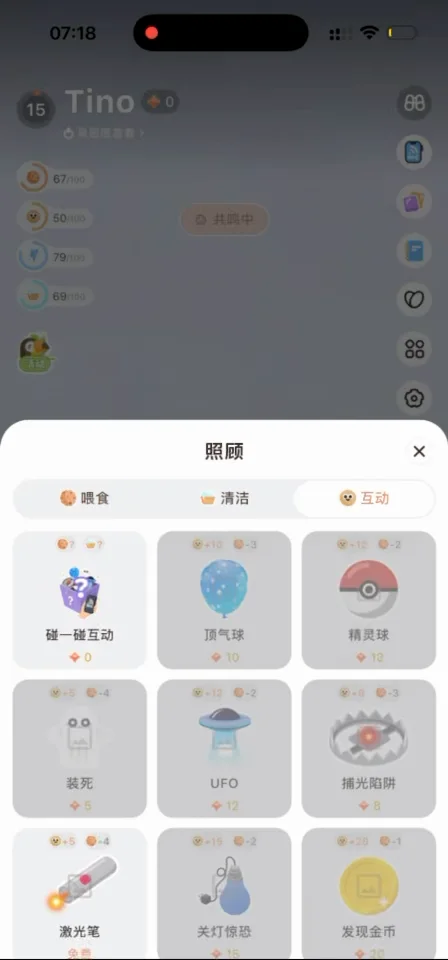
Screenshots are from the supplied app recording. Check the app for current features, costs and usage limits.
Watch actual app interactions, then choose what you would like to try. Videos load only when you choose to watch.
Chinese-language app walkthrough supplied with the original website. Current interfaces and costs may differ.
SomniNono App walkthrough
Watch in a separate window ↗Feed your Nono, freshen it up and spend a little time playing together. Small, hands-on moments that make raising a virtual pet feel personal.
Home → Care
Check item costs and requirements before use.
Share something that made you smile, or talk about your day. To keep a mood entry, choose Record mood separately and revisit it in your notebook.
Home call button → Nono chat
Regular chats are not automatically saved as mood notes. AI responses are not professional advice.
Take a photo and create a picture with your Nono. A familiar moment, with a favourite character right there beside you.
Home → Photo → Nono photo
Use photos you have permission to use. Follow the result screen to download.
Try a little jumping, catch a Nono or set off on an adventure. Pick a favourite activity when you have a moment to play.
Home → Play
Activities evolve over time, without a fixed release schedule.
Invite a friend to record moments and grow a Nono tree together. A shared place for the little things that happen in your separate days.
Home → Plant a tree
Check who can see your posts before sharing. Respect other people’s privacy.
Discover stories and small moments with the characters.
Revisit life entries, mood notes and Nono’s diary by category.
A little keepsake or a playful thought for an ordinary day.
Choose a companion activity to suit the moment.

Sign in to your usual account after installation. Have the supplied serial number ready to bind a physical plush.
Choose the version for your phone. If WeChat cannot open the link, use its menu to open your system browser. Check the installation page for compatibility, regional availability and in-app purchases.
Installation & binding help ↗